The policy terms that apply
Use the signed policy records and relevant dates to identify the terms that apply to the claim.

Connect the customer’s policy, hospital records, submitted documents, and earlier conversations. Check the applicable terms, the facts already established, and the questions that still need review.
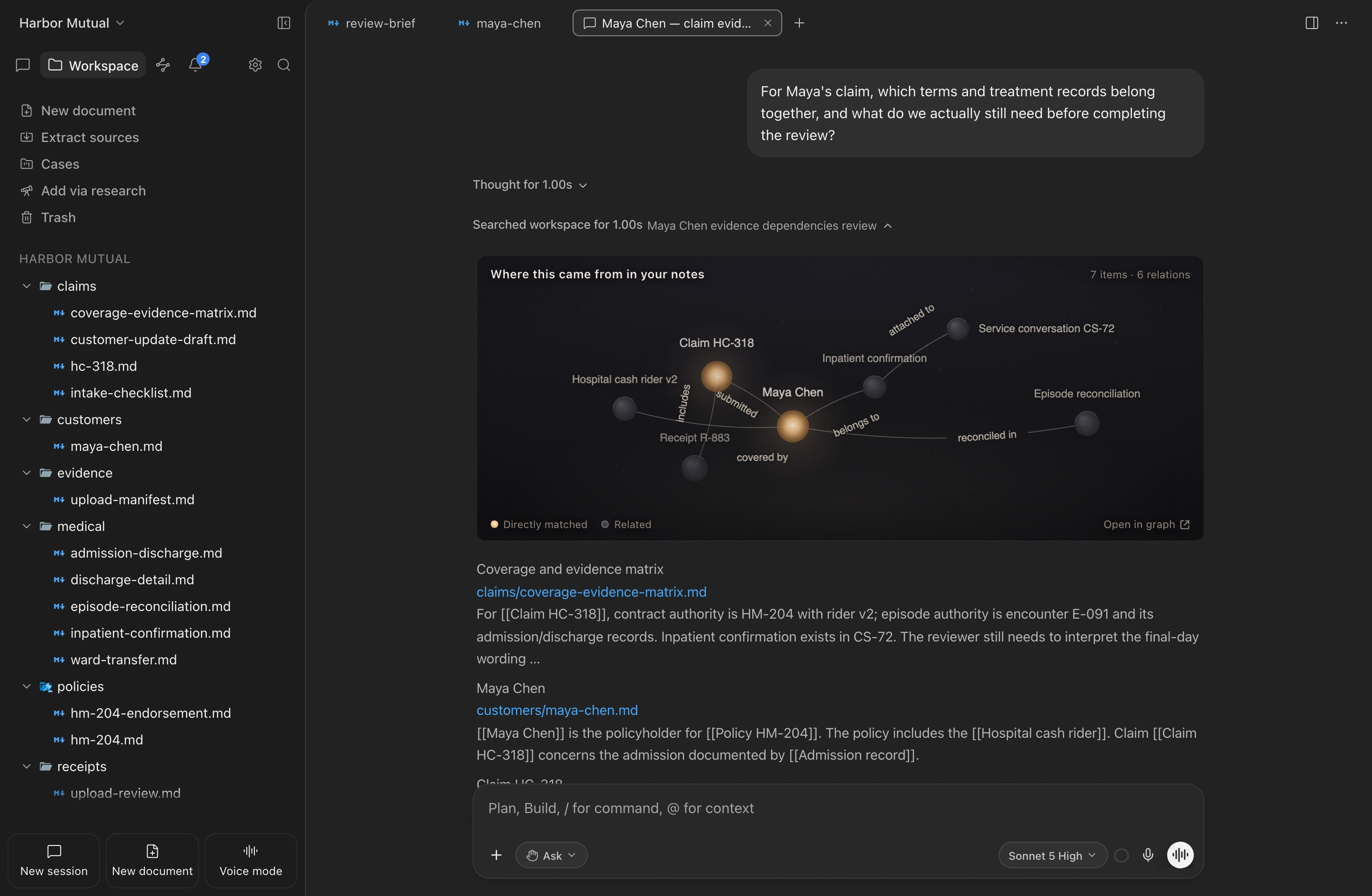
A ward transfer makes one hospital stay look like two. A newer product sample appears alongside the rider that applies to the customer’s policy. A document marked as missing was already submitted in an earlier conversation. Reviewing these records together reveals what is already on file and which terms need checking.
In the fictional Harbor Mutual workspace, review Maya Chen’s claim across the signed policy terms, hospital records, and earlier messages. Identify documents already received and the contract interpretation still awaiting a reviewer’s decision.
Use the signed policy records and relevant dates to identify the terms that apply to the claim.
Match patient and admission identifiers to see which hospital records belong to the same stay.
Check earlier conversations and uploads before asking the customer to send a document again.
Prepare a reply that explains what has been confirmed and what still needs checking.
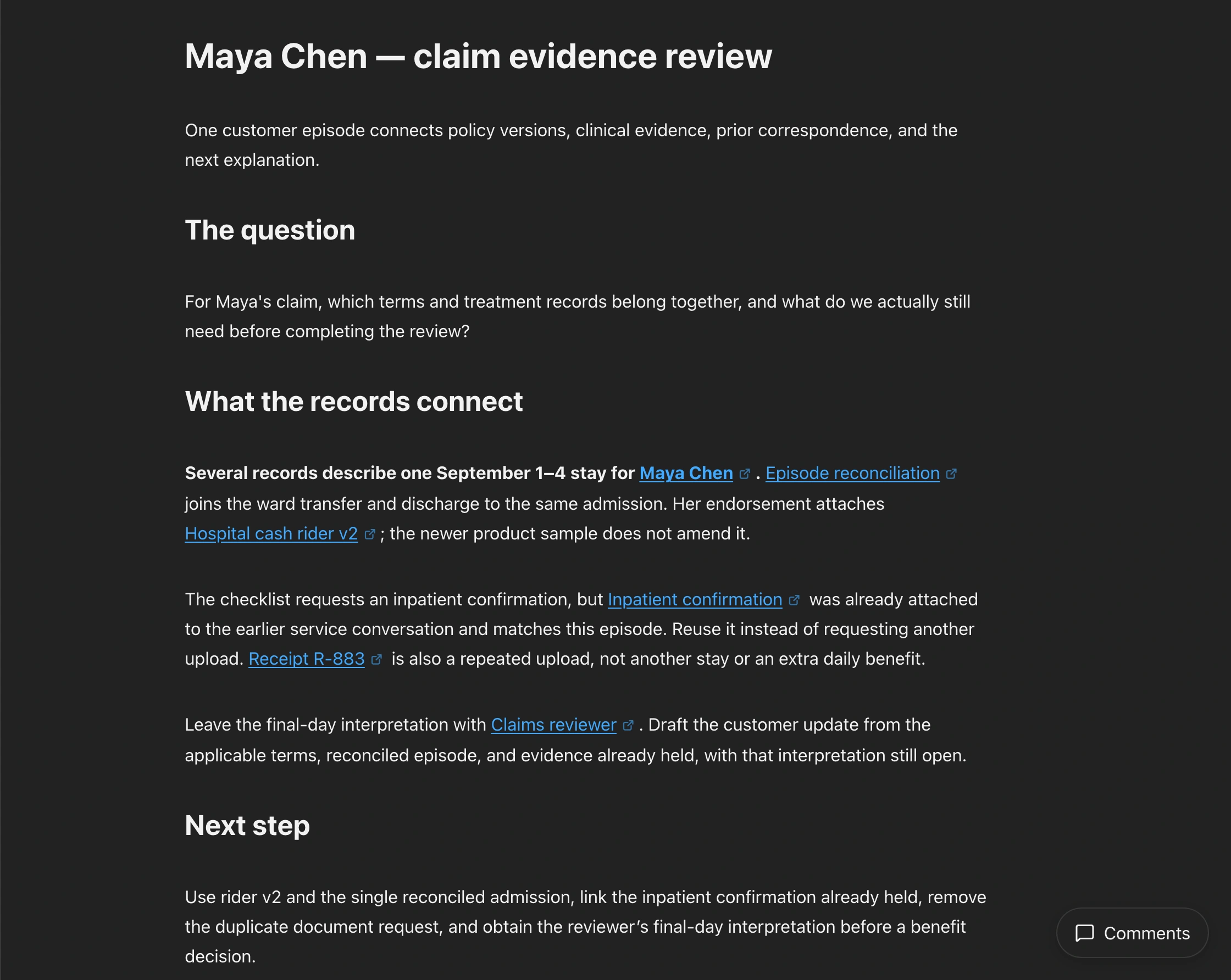
Check the signed endorsement against the admission date to identify the applicable rider. Link the ward transfer and discharge records to the same stay. Keep the confirmed admission history separate from the open question of whether the final day counts toward the daily benefit.
Which rider and treatment episode apply to Maya’s claim, and what is still unresolved?
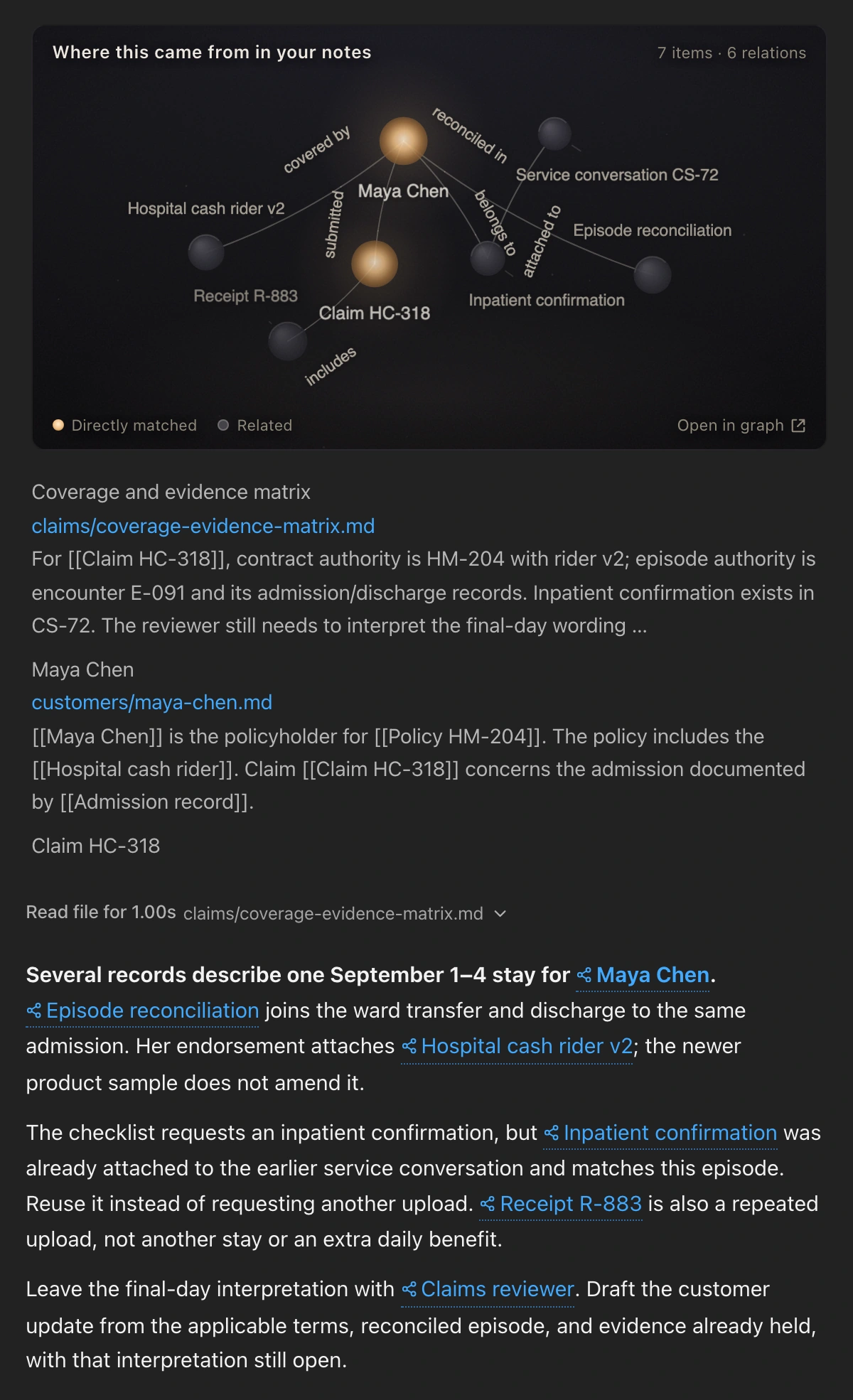
Use the patient and admission identifiers to check earlier service conversations. Retrieve the inpatient confirmation attached there, and recognize duplicate receipts as copies rather than evidence of extra treatment or benefits.
Is the inpatient confirmation really missing, or do we already have it elsewhere in Maya’s records?
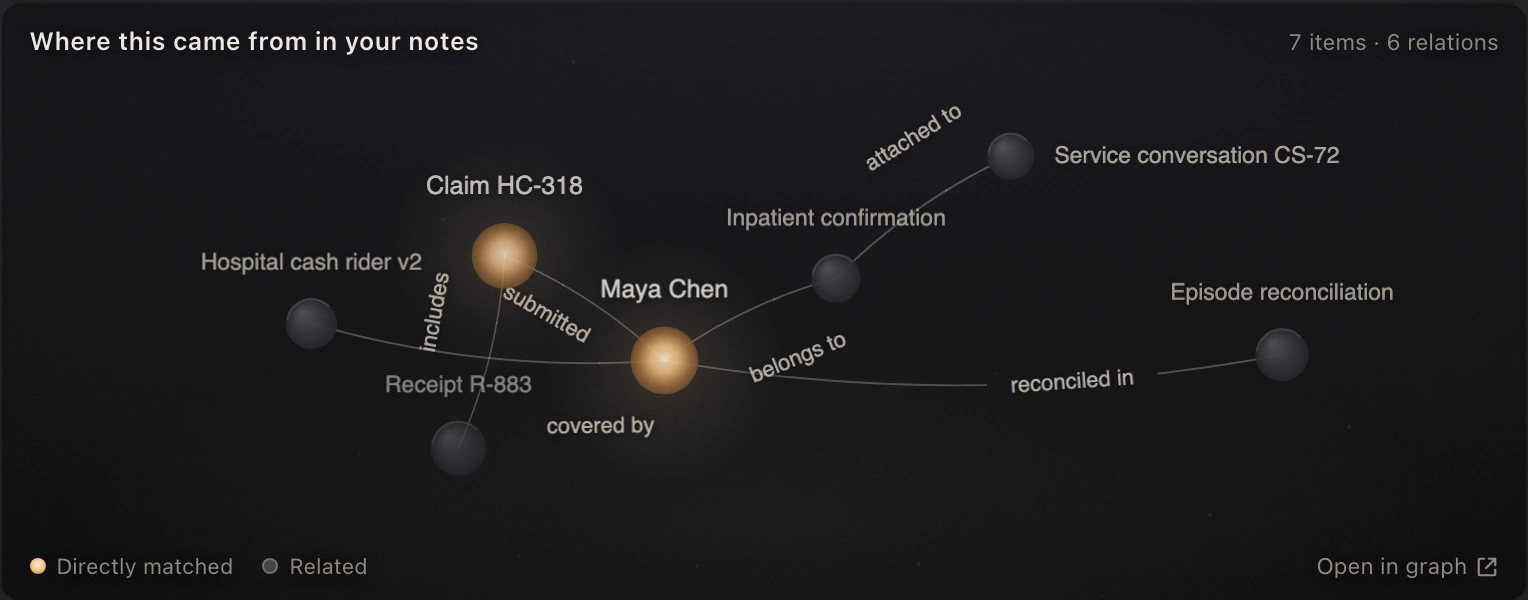
Remove the duplicate document request from the draft response. Explain which records are now on file and which policy wording the reviewer is still interpreting.
Draft Maya’s update without asking her to resend evidence we already hold.
Prepare answers using the policy terms and amendments that apply to the customer, together with earlier correspondence.
Review the application, disclosures, and previous coverage together to identify questions for the underwriter.
Match submitted documents to outstanding requests to distinguish what is already received from what is still missing.
EngramRAG
EngramRAG connects the customer, applicable policy version, hospital stay, and document history. New records join the existing claim review, preserving confirmed facts and questions that remain open.
Match patient and admission identifiers across abbreviated names and separate hospital records.
Tie the admission to the signed policy terms and keep newer product samples separate.
Reuse earlier attachments and retain the policy questions still awaiting the reviewer’s decision.
Bring policy records, submitted documents, and customer conversations into one workspace so your team can focus on the questions that remain.