Turn your files into a knowledge graph your AI reasons over.

Just write, drop in files, or code as usual — Consilience quietly builds a knowledge graph across your notes, code, design, and maps. Then one agent works on top of it: ask a complex question or hand off a whole task, and it uses everything you've built.

  • Free to start
  • 7 languages
  • Runs on your device
The difference an ontology makes

Work on top of a knowledge graph, and the agent changes.

Consilience automatically weaves your workspace into an ontology knowledge graph. So the very same one-liner gets you depth — and work — that ordinary AI agents can't reach.

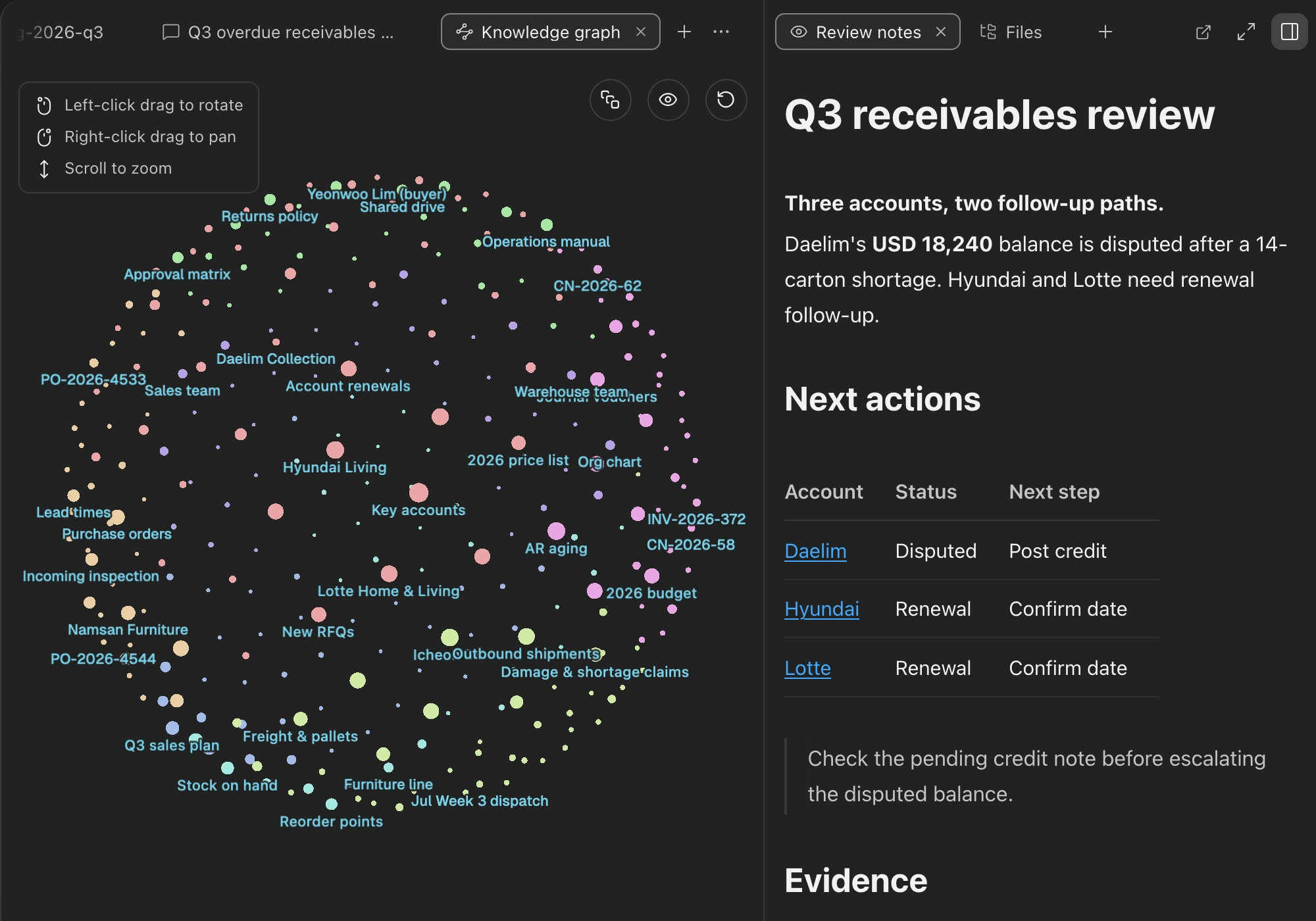
Every source becomes one knowledge graph.

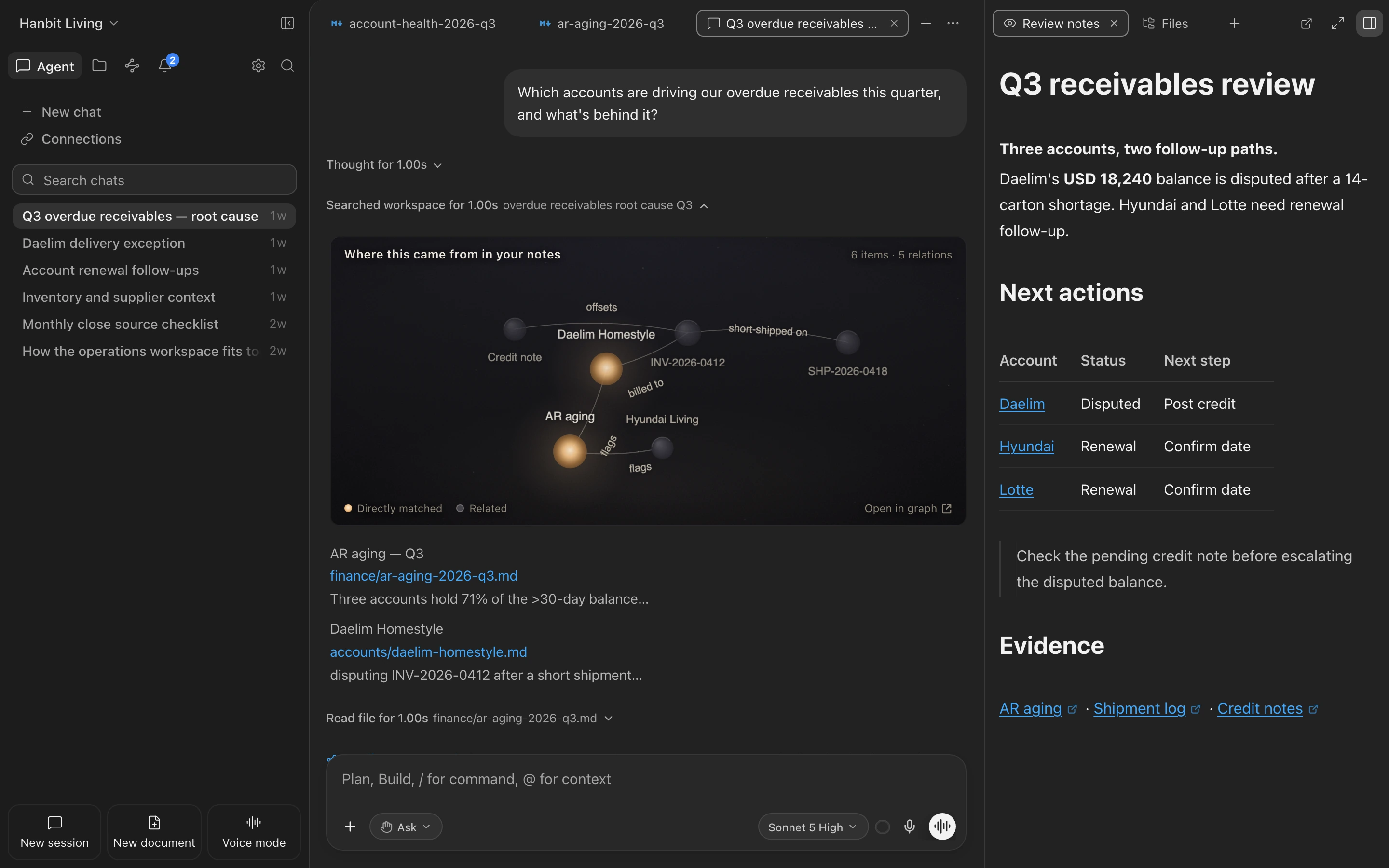
Bring in spreadsheets, Word, PDFs, images, and URLs exactly as they are, and the key concepts and relationships are woven into a knowledge graph automatically. The agent reasons on top of it to answer and to work — a true second brain.

  • Faithful conversion that never flattens into a summary
  • Connected as concepts and relationships the moment you save
  • No folders or tags — topic communities surface on their own
See how the knowledge graph works

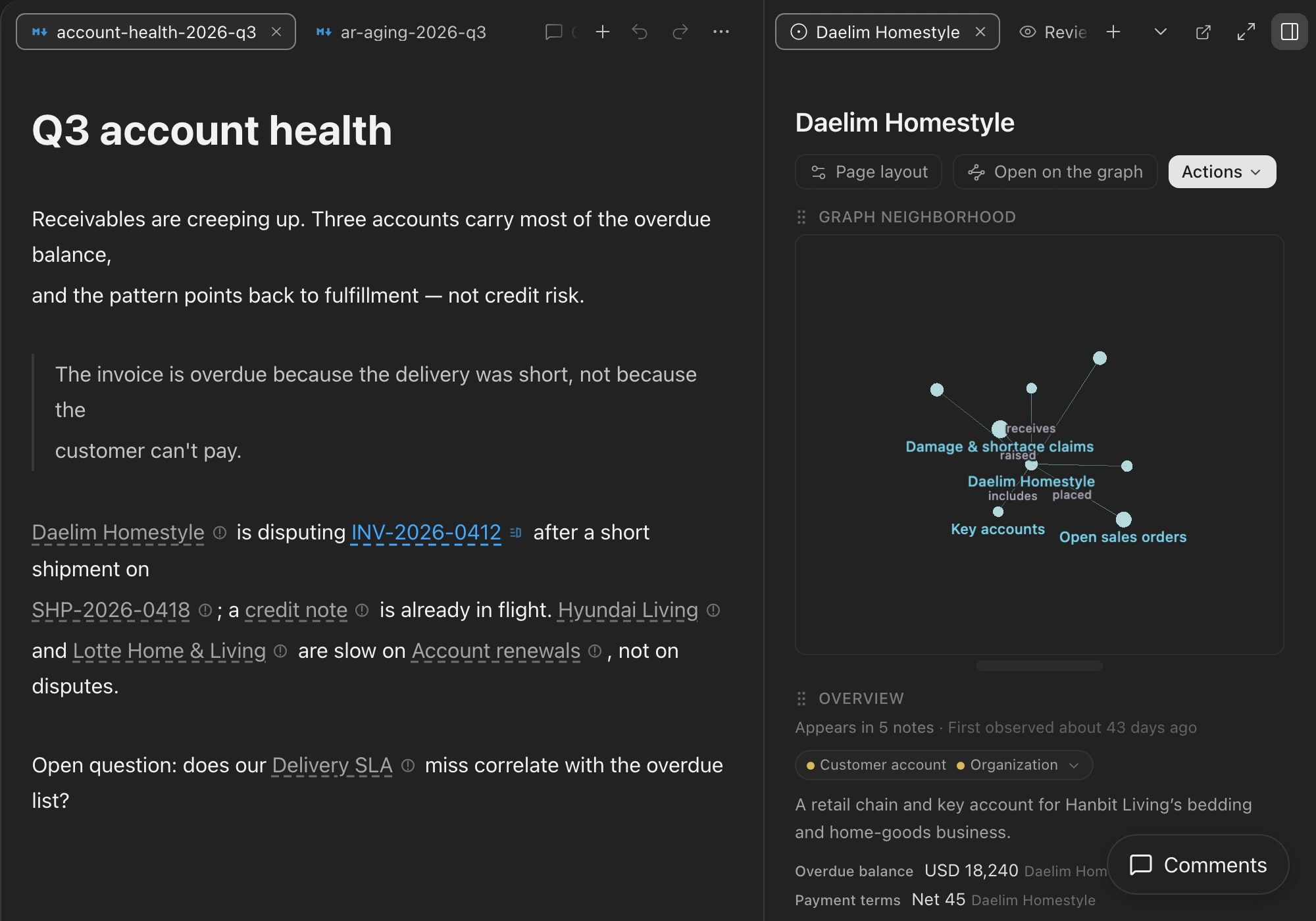
Build your knowledge graph from markdown documents.

An editor with free rein over tables, equations, diagrams, wikilinks, and a slash menu. Edit a note and the knowledge graph changes along with it.

  • Real markdown, opens anywhere
  • Wikilinks connect note to note
  • Notes stay yours as plain originals, all the way
Explore the editor

Code intelligence.

Understands the structure and meaning of your code to pinpoint exactly what to change — then plans, finds, fixes, and runs it to verify.

  • Finds code by what it does, not just by matching text
  • Traces callers and imports to see what a change affects
  • CodeBridge pulls the design note behind a function into the work
Explore code intelligence

A design canvas that draws what you imagine.

The agent builds visuals like slides and pages and shows them rendered, right there. Point to what you want changed and hand it to the AI.

  • Rendered in place the moment it's made
  • Select just the part to change and delegate to the AI
  • The result is an ordinary file that opens anywhere
Explore the design canvas

A map canvas that turns places into insight.

Geocoding turns the addresses and places in your graph into coordinates, and the agent authors an interactive map for each request — hotspots, by-region rollups, reachability, routes. The coordinate math is done by libraries, never guessed, so it stays exact.

  • Geocoding turns addresses and places into coordinates
  • Hotspots, regional rollups, reachability, and routes
  • Pick a spot on the map and follow it to its graph node
Explore the map canvas

One agent, everywhere

Not just notes. Code, terminal, external apps, the web, even the screen — the same agent handles it all, under the permissions you set.

Plan mode

Complex work starts with a plan; edits are blocked until you approve

Multi-file editing

Plans changes across many files and applies them in one pass

Terminal · run commands

Runs builds and tests, reads the results, and decides what's next

Direct computer control

Watches the screen and works desktop apps with mouse and keyboard

External app connections

Operates external apps like Notion directly, under your permissions

Web search

Pulls fresh information from the web for grounding when needed

Ontology search

Follows concepts and relationships to find things across the whole workspace

Topic map

Surfaces which topics your notes cluster into, as a map

Domain vocabulary

Learns the terms of your field and understands them your way

Synonym · relation suggestions

Finds matching meanings and hidden links and proposes them first

Sourced answers

Not guesses but your own sentences, down to the source note

Markdown editor

Tables, equations, and diagrams, right inside real markdown files

Multiple model choice

Pick the latest model and reasoning effort for each task yourself

Experience memory

Keeps what you've taught it and what it's confirmed as notes, and gets smarter

Git integration

Review changes and handle commits and branches right there

Permission control

Set run permissions per tool in advance, so it only asks when it must

Workspace sharing

Share a workspace as a file or link and open it as-is

Geocoding · maps

Turns the places in your graph into coordinates and maps them to analyze

A new way to work with knowledge.

Real problems teams across industries ran into, and how they solved them. Swipe through the cards to read the cases.

View all cases →
FAQ

Questions, answered.

Is my data private?

Yes. Consilience is local-first — your notes and the knowledge graph live on your device. We don't train any model on your notes, indexing and search run on-device, and web access is off by default. The agent asks permission before it acts.

Does it work offline?

The app, your notes, and your knowledge graph all work offline. The agent needs a connection only to reach a language model; everything you've built stays and reads on your device.

What can I bring in?

Notes, PDFs, Word docs, spreadsheets, images, web pages, and code — imported faithfully as their full content, never flattened into a summary.

Can I move over from Obsidian or Notion?

Yes. Bring your Markdown and files as they are. Your notes stay plain, standard files you can open anywhere and export anytime — no lock-in.

Which platforms are supported?

macOS and Windows today. It's free to start, and downloads the right build for your system automatically.

What do paid plans change?

Only how much you can use the agent. Every plan — Free included — is the complete workspace; paid tiers simply raise your agent usage. Cancel anytime.

Start with Consilience now.